import SphericalSpatialTrees as SST
import GeometryOps as GO, GeoInterface as GI
import DiskArrays

using GeometryOps.UnitSpherical: GeographicFromUnitSphere, spherical_distance,
                            UnitSphereFromGeographic, SphericalCap

using Rasters, RasterDataSources, ArchGDAL, Zarr # data sources
using GeoMakie, GLMakie # visualization"/home/runner/.julia/artifacts/RasterDataSources"nothing # hide
Now that we have loaded all of these packages, let's start talking about functionality.
First, let's use the top-level interface to create a lazily regridded array, from a lat-long source to a DGGS target.
This dataset is a bioclimatic dataset, which is sufficiently small that you can do this quickly on your machine.
ras = Raster(EarthEnv{HabitatHeterogeneity}, :cv) |> r -> replace_missing(r, NaN) .|> log┌ 1728×696 Raster{Float64, 2} ┐
├─────────────────────────────┴────────────────────────────────────────── dims ┐
↓ X Projected{Float64} -180.0:0.20833333333333334:179.79166666666669 ForwardOrdered Regular Intervals{Start},
→ Y Projected{Float64} 84.79166666666667:-0.20833333333333334:-60.0 ReverseOrdered Regular Intervals{Start}
├──────────────────────────────────────────────────────────────────── metadata ┤
Metadata{Rasters.GDALsource} of Dict{String, Any} with 1 entry:
"filepath" => "/home/runner/.julia/artifacts/RasterDataSources/EarthEnv/Habit…
├────────────────────────────────────────────────────────────────────── raster ┤
missingval: NaN
extent: Extent(X = (-180.0, 180.00000000000003), Y = (-60.0, 85.0))
crs: GEOGCS["WGS 84",DATUM["WGS_1984",SPHEROID["WGS 84",6378137,298.25722...
└──────────────────────────────────────────────────────────────────────────────┘
↓ → 84.7917 84.5833 84.375 … -59.375 -59.5833 -59.7917 -60.0
-180.0 NaN NaN NaN NaN NaN NaN NaN
-179.792 NaN NaN NaN NaN NaN NaN NaN
⋮ ⋱ ⋮
179.583 NaN NaN NaN NaN NaN NaN NaN
179.792 NaN NaN NaN NaN NaN NaN NaNLet's give this dataset some chunks. It's 1728x696 so 75x75 chunks give it ~ 22x11 chunks.
ras_chunked = DiskArrays.mockchunks(ras, (75, 75))┌ 1728×696 Raster{Float64, 2} ┐
├─────────────────────────────┴────────────────────────────────────────── dims ┐
↓ X Projected{Float64} -180.0:0.20833333333333334:179.79166666666669 ForwardOrdered Regular Intervals{Start},
→ Y Projected{Float64} 84.79166666666667:-0.20833333333333334:-60.0 ReverseOrdered Regular Intervals{Start}
├──────────────────────────────────────────────────────────────────── metadata ┤
Metadata{Rasters.GDALsource} of Dict{String, Any} with 1 entry:
"filepath" => "/home/runner/.julia/artifacts/RasterDataSources/EarthEnv/Habit…
├────────────────────────────────────────────────────────────────────── raster ┤
missingval: NaN
extent: Extent(X = (-180.0, 180.00000000000003), Y = (-60.0, 85.0))
crs: GEOGCS["WGS 84",DATUM["WGS_1984",SPHEROID["WGS 84",6378137,298.25722...
└──────────────────────────────────────────────────────────────────────────────┘Now, we need to define the source and target trees. The dataset itself is on a plane (equirectangular projection), so we can use the RegularGridTree which is an implicit quadtree.
source = SST.ProjectionSource(SST.RegularGridTree, ras_chunked);We want to go to a DGGS target, so we can use the ISEACircleTree (based on the Snyder equal area projection). This is the only tree so far but more can be added as we go forward.
target = SST.ProjectionTarget(SST.ISEACircleTree, 8, 2)ProjectionSource(655360-leaf ISEACircleTree(8))As a sidenote, this is what actually happens internally. Using the spatial tree interface, we compute the map of chunks in the source dataset that each chunk in the target dataset requires to be materialized.
SST.compute_connected_chunks(source, target)160-element Vector{Vector{Int64}}:
[65, 66, 89, 90, 113, 114, 67, 91, 115, 92]
[90, 114, 91, 115, 92, 116, 138, 139, 140]
[115, 116, 138, 139, 140, 141, 163, 164]
[139, 140, 141, 163, 164, 165, 188, 189]
[41, 42, 65, 66, 89, 90, 43, 44, 67, 68, 91, 92]
[66, 90, 67, 68, 69, 91, 115, 92, 93, 116]
[91, 115, 92, 93, 116, 117, 139, 140, 141]
[116, 117, 118, 140, 141, 164, 165, 142]
[16, 17, 18, 40, 41, 42, 65, 66, 19, 20, 21, 43, 44, 45, 67, 68]
[42, 66, 43, 44, 45, 46, 67, 68, 69, 91, 92, 93, 70]
⋮
[209, 210, 233, 234, 211, 235, 212, 213, 236, 237]
[112, 113, 114, 136, 137, 138, 160, 161, 162]
[137, 138, 161, 162, 185, 186, 139, 163, 187]
[161, 162, 185, 186, 209, 210, 163, 187, 188, 211]
[186, 209, 210, 234, 187, 188, 189, 211, 235, 212, 213, 236, 237]
[89, 90, 113, 114, 115, 137, 138, 139]
[114, 115, 137, 138, 162, 139, 163]
[138, 162, 186, 139, 140, 163, 164, 187, 188]
[162, 186, 163, 164, 165, 187, 188, 189, 211, 212]Now, we can create the lazy projected disk array.
a = SST.LazyProjectedDiskArray(source, target)256×256×10 LazyProjectedDiskArray{Float64}You can now access some data, using this as you would use any array:
a[1:10,1:10,1]10×10 Matrix{Float64}:
7.3815 7.04491 7.29845 7.52456 … 8.79301 8.80072 8.71997 8.69148
7.54803 7.28893 7.00941 7.03791 9.16785 9.04958 8.76639 8.33399
8.0523 7.43897 7.24494 6.9256 8.07465 8.97246 8.94637 8.41183
7.40123 7.60589 7.6029 7.18007 7.4055 7.83241 8.55005 8.72013
6.50728 7.98888 7.27656 7.04491 7.41035 8.18897 8.97094 8.71325
6.86797 7.35756 8.0037 7.257 … 7.38956 7.64252 8.19008 8.97525
7.02376 6.82871 7.13569 7.59085 7.13807 7.48212 7.71869 8.12976
7.44425 6.92264 6.85013 6.58203 7.51698 7.57661 7.68064 7.85941
7.44425 7.13966 7.0193 6.80793 7.59035 7.03351 7.29777 7.6019
7.20564 7.50384 7.10168 7.11314 6.98008 7.49165 6.89264 7.02554You can also materialize the array fully into memory (if the array is small enough):
ac = collect(a);Now let's visualize this! GLMakie has no problem visualizing this many polygons: First, let's get every polygon:
polys = SST.index_to_polygon_lonlat.(vec(collect(eachindex(a))), (target.tree,));Then we can just assign the correct color to the correct polygon, and plot on GeoMakie's GlobeAxis.
fig, ax, p1 = poly(a; axis = (; type = GlobeAxis))
p2 = lines!(ax, a; color = :black, transparency = true, linewidth = 0.075)
p3 = meshimage!(ax, -180..180, -90..90, fill(colorant"white", 2, 2); zlevel = -100_000)
fig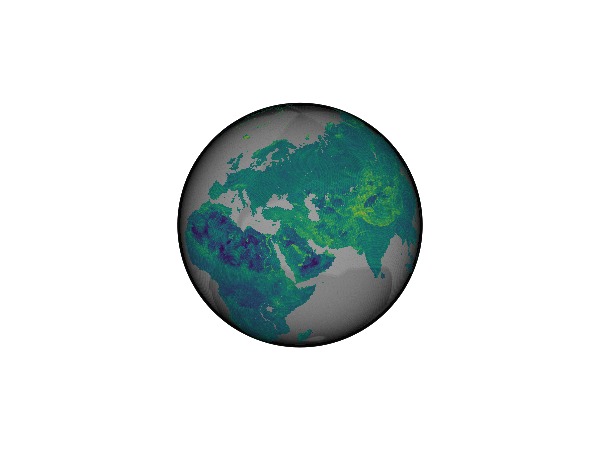
Let's also see the original data:
meshimage(-180..180, -90..90, reorder(ras, Y => Rasters.ForwardOrdered()); axis = (; type = GlobeAxis))
To give a better idea of what this looks like, let's use a lower level (lower resolution) DGGS:
target = SST.ProjectionTarget(SST.ISEACircleTree, 3, 2)
a = SST.LazyProjectedDiskArray(source, target)
ac = mapreduce((i,j)->cat(i,j,dims=3),1:10) do n
    a[:,:,n]
end
fig, ax, plt = poly(a; strokewidth = 1, strokecolor = :black, axis = (; type = GlobeAxis));
meshimage!(ax, -180..180, -90..90, fill(colorant"white", 2, 2); zlevel = -100_000) # background plot
fig

fig2, ax2, plt2 = meshimage(-180..180, -90..90, reorder(ras, Y => Rasters.ForwardOrdered()); zlevel = 100_000, alpha = 0.5, transparency = true, axis = (; type = GlobeAxis, show_axis = false))
poly!(ax2, a; strokewidth = 1, strokecolor = :black)
meshimage!(ax2, -180..180, -90..90, fill(colorant"white", 2, 2); zlevel = -100_000) # background plot
Makie.Plot{GeoMakie.meshimage, Tuple{Makie.EndPoints{Float64}, Makie.EndPoints{Float64}, Matrix{ColorTypes.RGB{FixedPointNumbers.N0f8}}}}And that's the basics! Now we can go a bit into the weeds of capabilities and how this works.
mycoord = (11.0, 53.0)
rad = 1e-6

iseat = SST.ISEACircleTree(22)
mycircle = SphericalCap(UnitSphereFromGeographic()(mycoord), rad)
GeometryOps.UnitSpherical.SphericalCap{Float64}(UnitSphericalPoint(0.5907579861332358, 0.11483171997015439, 0.7986355100472928), 1.0e-6, 0.9999999999995)Query
r = GO.query(iseat, mycircle)
points = SST.index_to_lonlat.(r, (iseat,))
f, a, p = scatter(points; color = Makie.Cycled(2), axis = (; type = GlobeAxis, show_axis = false));
lines!(a, GeoMakie.coastlines())
f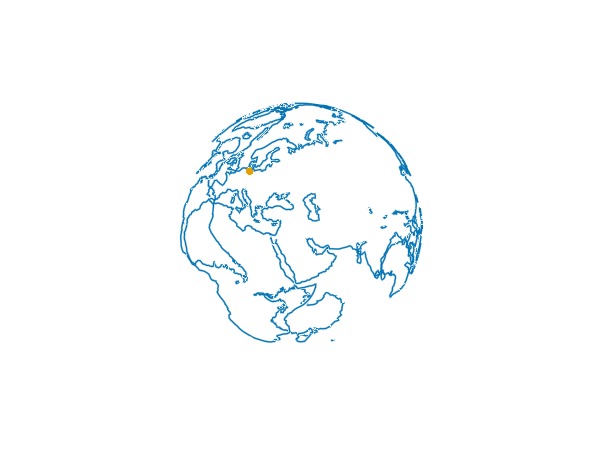
poly1 = SST.index_to_polygon_lonlat(1, iseat)

poly!(a, poly1; strokecolor = :red, strokewidth = 1)
f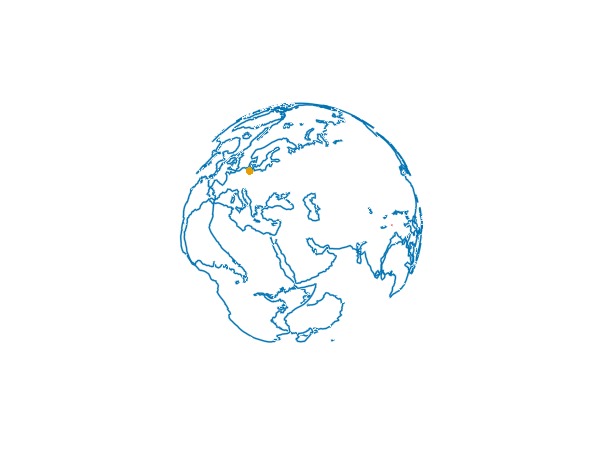
lo,up = CartesianIndices(SST.gridsize(iseat))[r] |> extrema
bb_isea = map(Colon(), lo.I, up.I)


ras = Raster(WorldClim{BioClim}, 5) |> r -> replace_missing(r, NaN)
c = DiskArrays.mockchunks(ras, DiskArrays.GridChunks(size(ras), (100, 100)))
lccst = SST.RegularGridTree(c)
r2 = GO.query(SST.rootnode(lccst), mycircle)
SST.index_to_lonlat.(r2, (lccst,))

lo, up = CartesianIndices(size(c)[1:2])[r2] |> extrema
bb_lccs = map(Colon(), lo.I, up.I)


d, i = SST.find_nearest(iseat, (11.0, 53.0))
SST.index_to_lonlat(i, iseat)

d, i = SST.find_nearest(lccst, (11.0, 53.0))
SST.index_to_lonlat(i, lccst)


source = SST.ProjectionSource(SST.RegularGridTree, c);
target = SST.ProjectionTarget(SST.ISEACircleTree, 3, 2);


SST.compute_connected_chunks(source, target)


a = SST.LazyProjectedDiskArray(source, target)
8×8×10 LazyProjectedDiskArray{Float64}How do I get a polygon from a cartesian index?
SST.index_to_polygon_lonlat(CartesianIndex(1,1,1), target.tree)GeoInterface.Wrappers.Polygon{false, false}([GeoInterface.Wrappers.LineString([(90.0, 26.56505117707799), … (3) … , (90.0, 26.56505117707799)], crs = "EPSG:4326")], crs = "EPSG:4326")Let's get every polygon...
polys = SST.index_to_polygon_lonlat.(eachindex(a), (target.tree,));This is
length(polys)640a[:, 1, :]8×10 Matrix{Float64}:
28.6612 NaN NaN NaN 37.7863 … NaN NaN NaN
30.2127 NaN NaN NaN 38.7557 NaN NaN NaN
34.7407 NaN NaN NaN 41.8978 NaN NaN NaN
NaN NaN NaN NaN 27.984 NaN NaN NaN
32.0272 NaN NaN NaN 36.2388 NaN NaN NaN
NaN NaN NaN NaN NaN … NaN NaN -4.77825
NaN NaN NaN NaN 32.5433 -2.0865 -14.7845 -16.0435
39.934 NaN NaN NaN NaN -9.90425 -19.6 -27.3525Now we can materialize the lazy array...
@time ac = collect(a); 0.089171 seconds (3.03 k allocations: 5.386 MiB)and GLMakie has no problem visualizing this!
poly(vec(polys); color = vec(ac), strokewidth = 1, strokecolor = :black, axis = (; type = GlobeAxis, show_axis = false))
meshimage!(-180..180, -90..90, fill(colorant"white", 2, 2); zlevel = -100_000)
current_figure()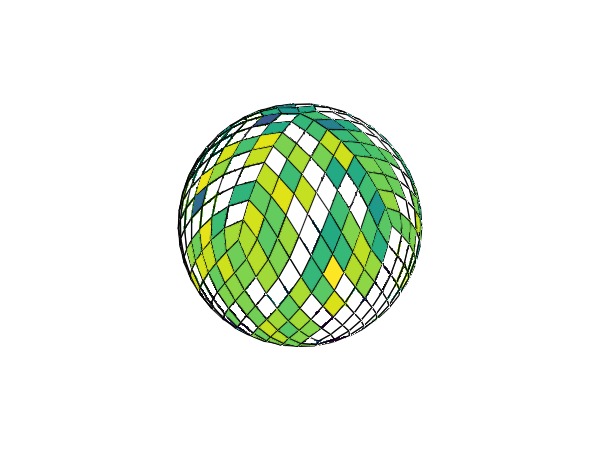
heatmap(c.lccs_class.data[bb_lccs...][:, :, 1])
ds = SST.create_dataset(target, "./output.zarr/", arrayname=:lccs_class)
SST.reproject!(ds.lccs_class,source,target)
This page was generated using Literate.jl.